
What is Plexo?
Plexo connects WBS/Board/Gantt so teams work together smoothly, while descriptions, comments, attachments, and history stay organized and reliable.
What Makes Plexo Special
Real-time Collaboration
Like Google Docs, multiple team members can edit WBS simultaneously. Changes are reflected in real-time, keeping everything up to date.
Resource Calendar Integration
Assign team members to each task and plan daily time allocation. Visualize and efficiently manage team workload at a glance.
Multi-dimensional Analytics
Predict project completion dates and analyze workload through statistics by assignee, priority, difficulty, status, and burndown charts.
Organization Settings & Holiday Management
Freely configure national holidays, company-specific holidays, work start day, and daily standard working hours for each country and organization. Register holidays like Korean Lunar New Year/Chuseok or US Thanksgiving in the organization calendar, and they automatically apply to all project resource calendars.
Issue Tracker Integration
Integrate with external issue management systems like Jira and GitHub Issues. Set the Issue Base URL to click issue numbers in WBS tasks and jump directly to the issue page.
Seamless Excel Integration
Easily import existing Excel WBS and export project data as CSV for integration with external tools.
Kanban Board
Intuitive workflow management with drag and drop. Visualize tasks in To Do, In Progress, Done, and Closed states with real-time status updates.
Gantt Chart
Visualize the entire project schedule and understand temporal relationships between tasks. View deadlines and progress at a glance for efficient schedule management.
Plexo in Action
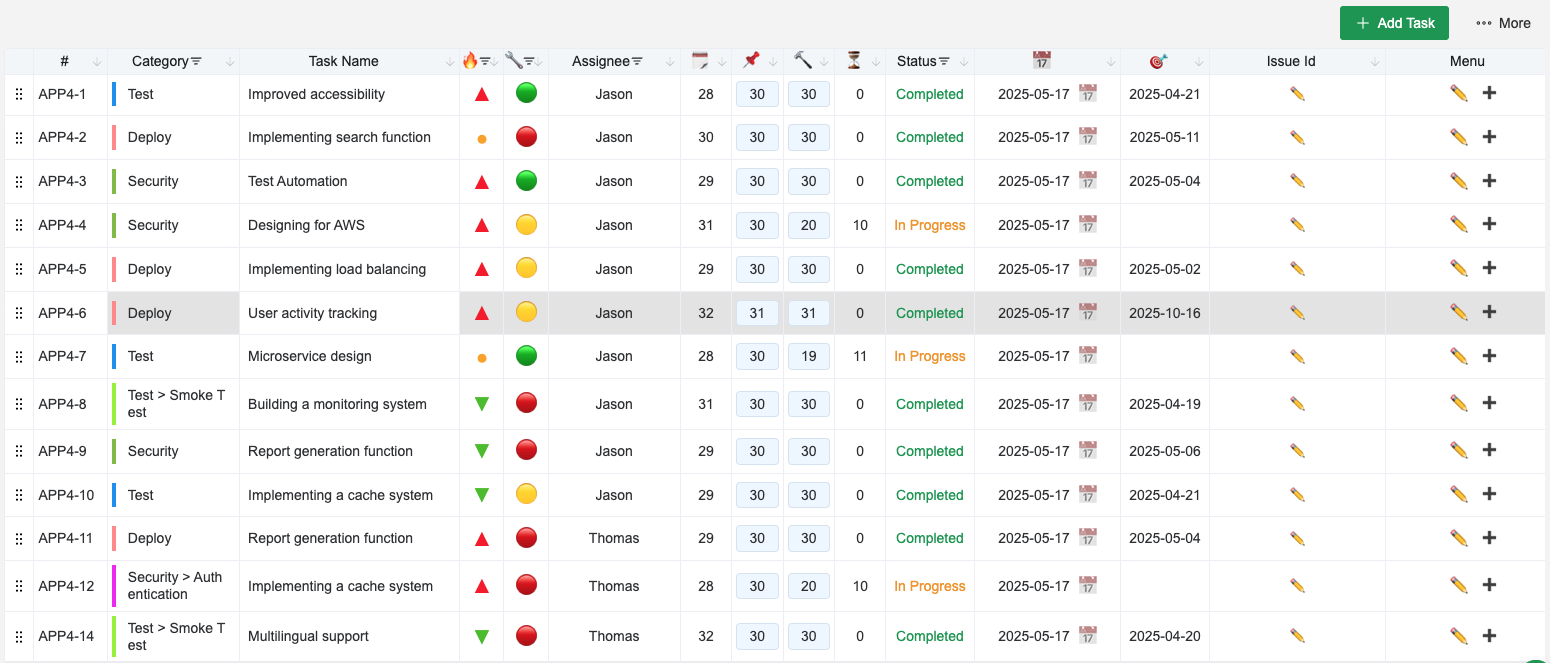
Real-time WBS Management
Systematically manage categories and tasks with simultaneous multi-user editing.
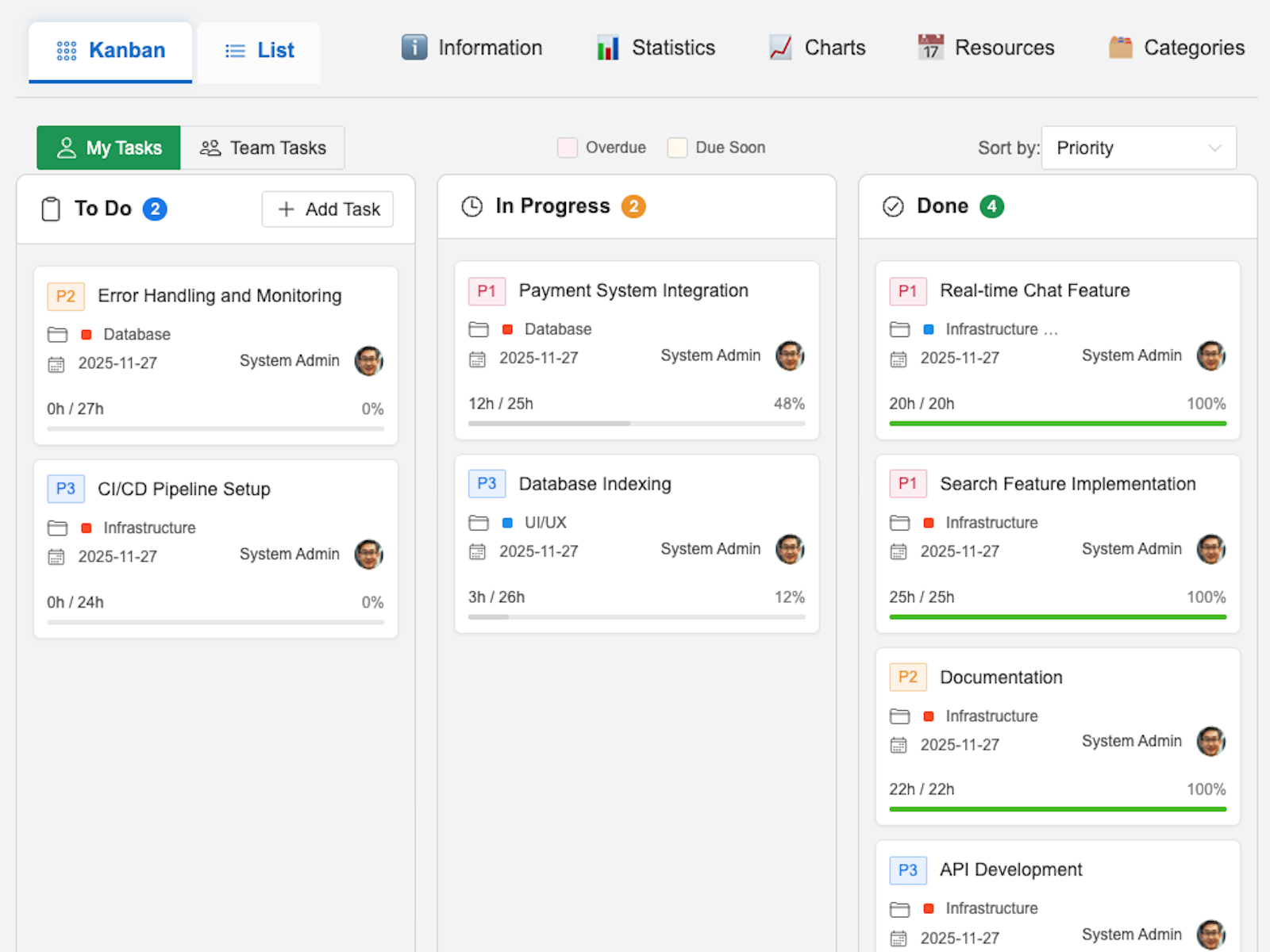
Kanban Board
Drag and drop for intuitive workflow management. Visualize tasks in To Do, In Progress, Done, and Closed states.
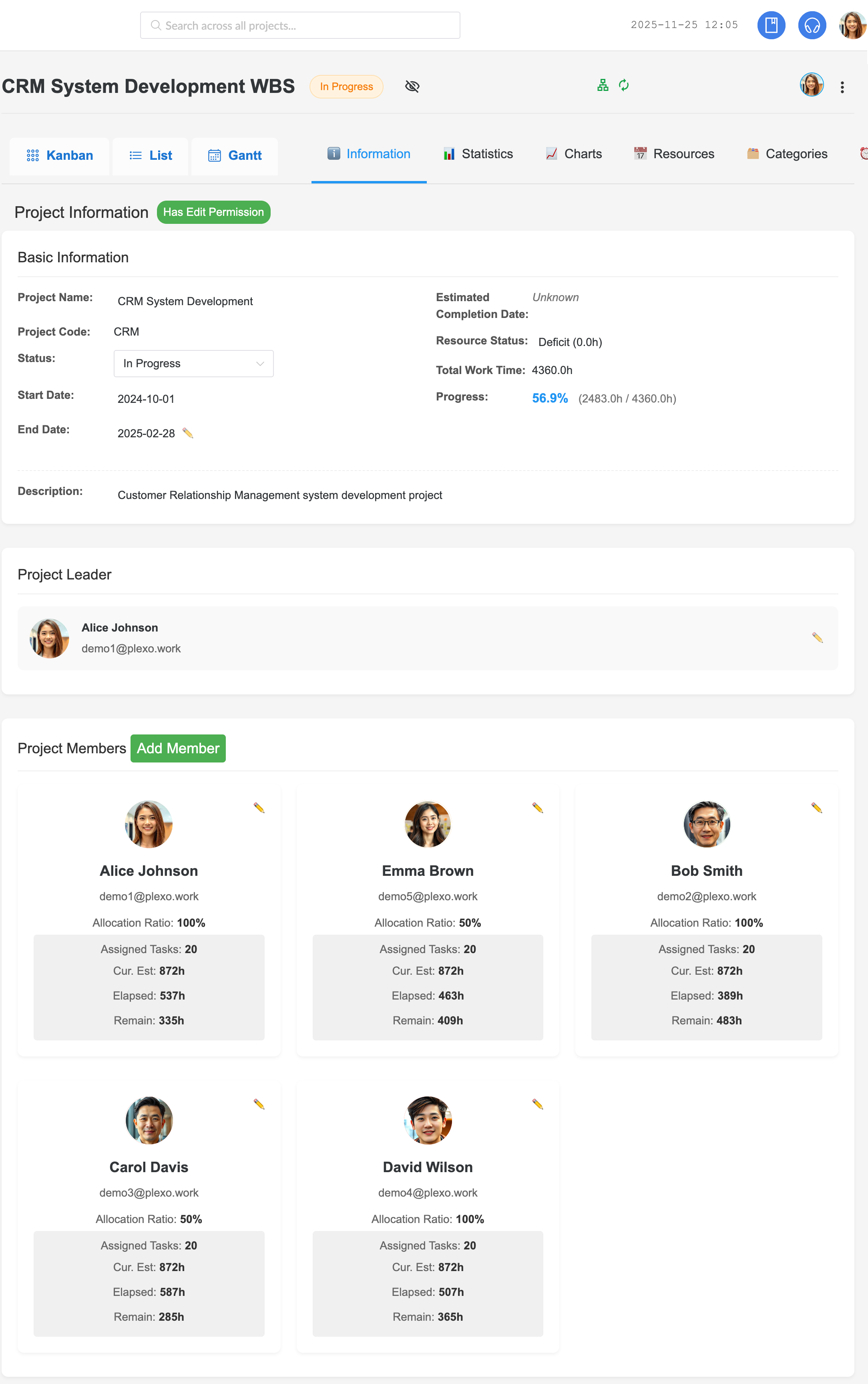
Project Overview
View project basics, progress, and resource status at a glance.
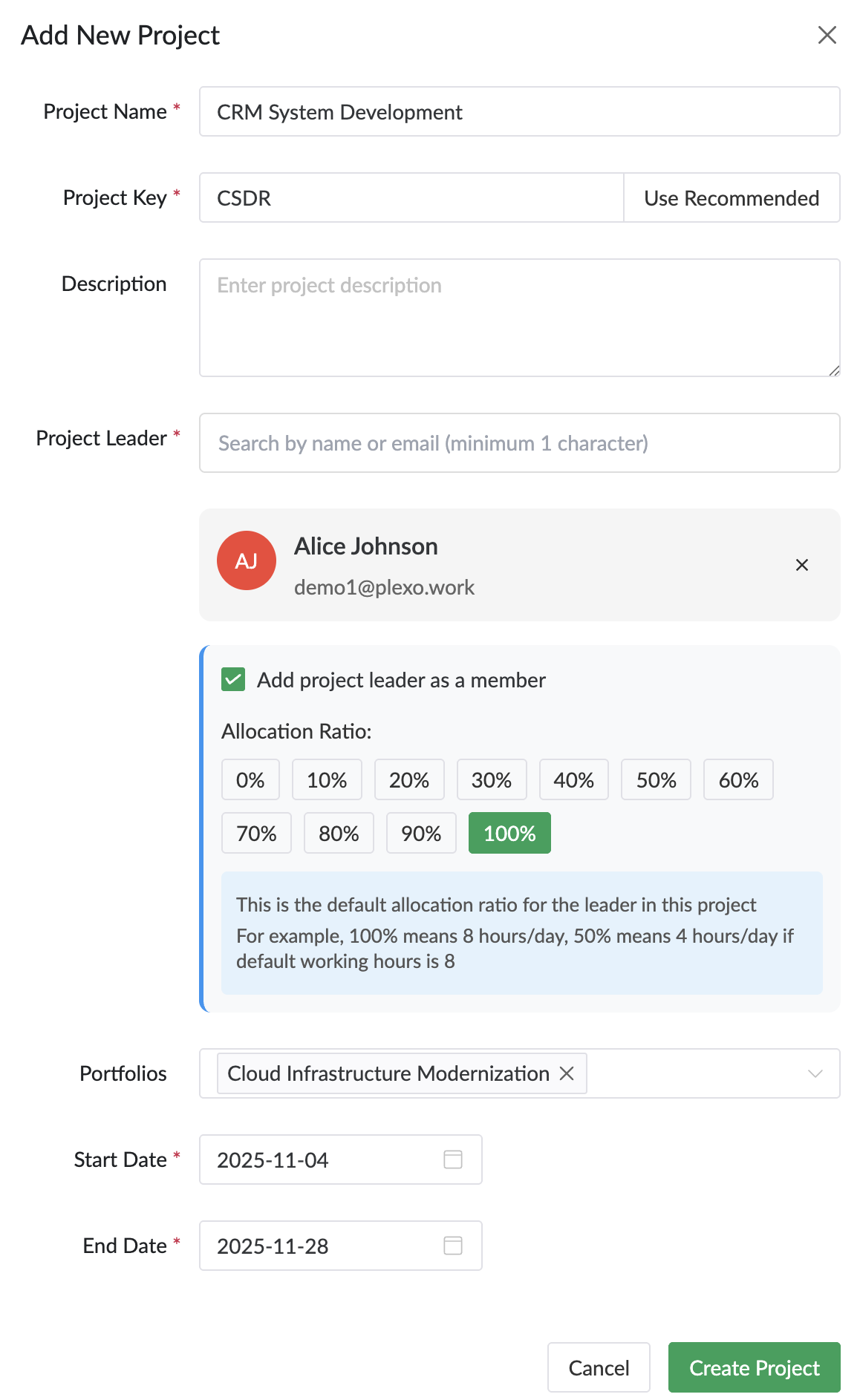
Create Project
Create new projects with a simple form, set leaders, portfolios, and schedules.
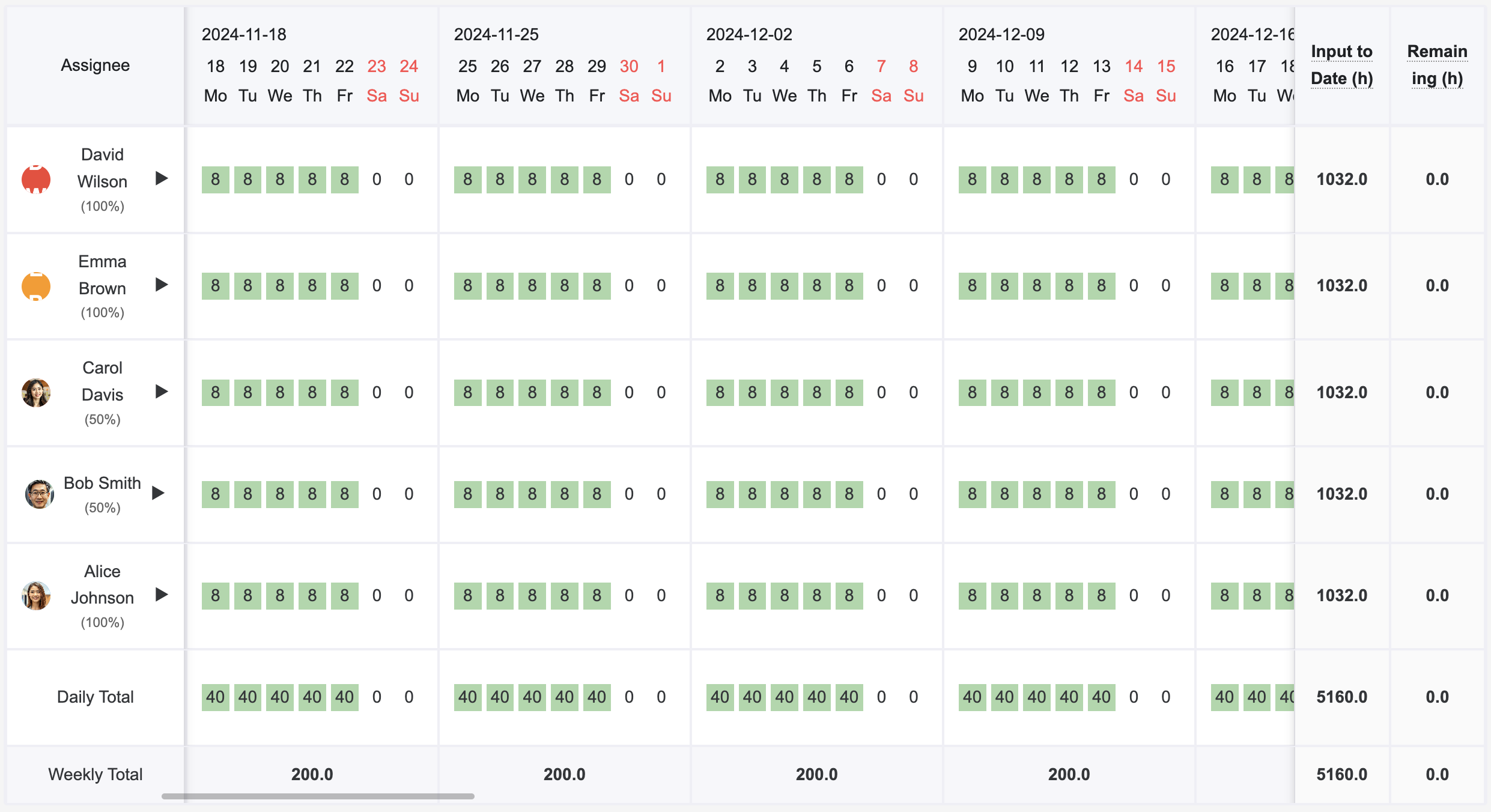
Resource Calendar
Plan daily team member allocation and visually manage workload.
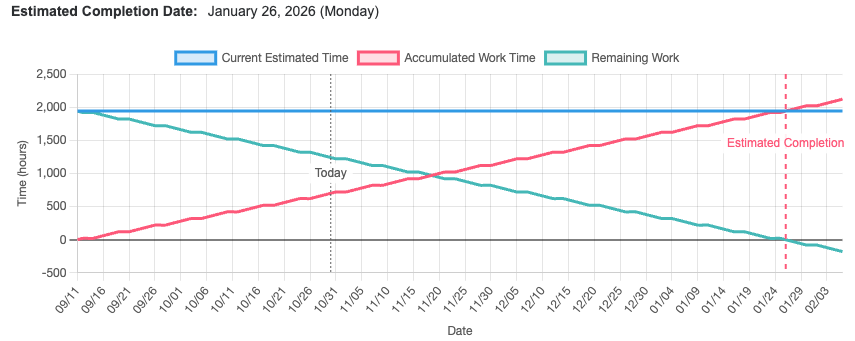
Burndown Chart
Track project progress and predict completion date.
Multi-dimensional Statistics
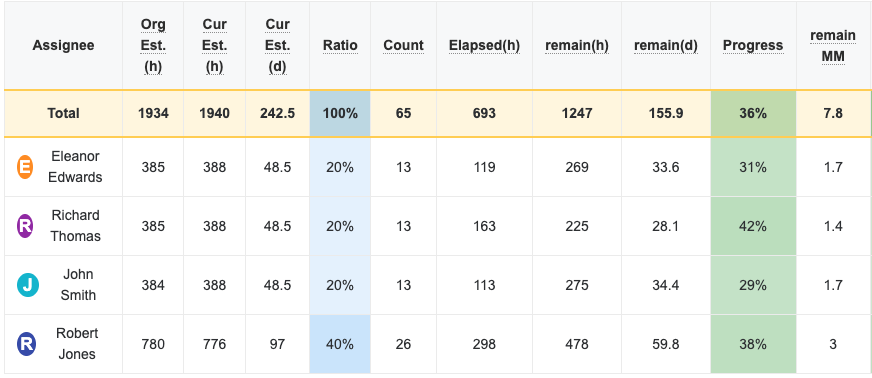
Stats by Assignee
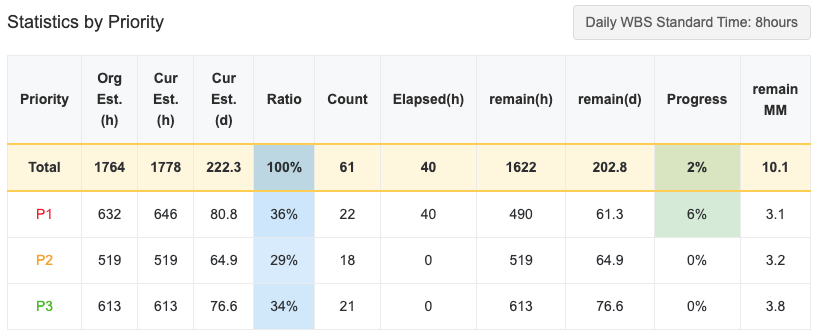
Stats by Priority
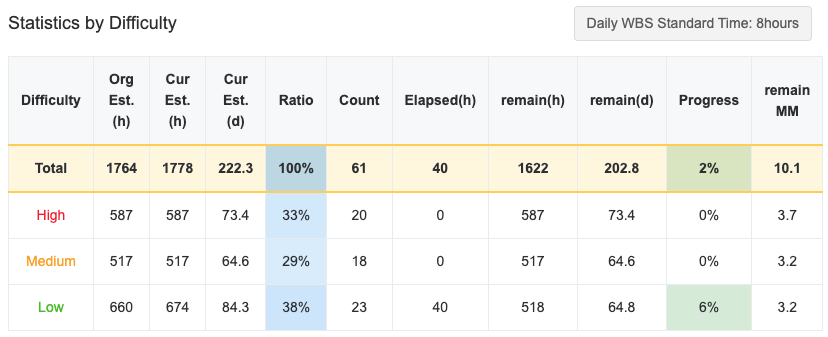
Stats by Difficulty
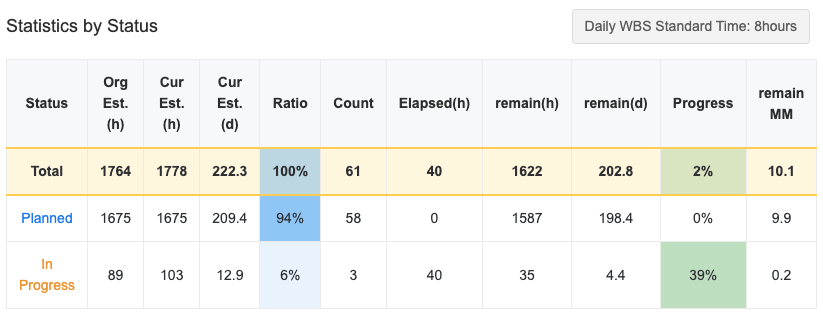
Stats by Status
Organization Settings
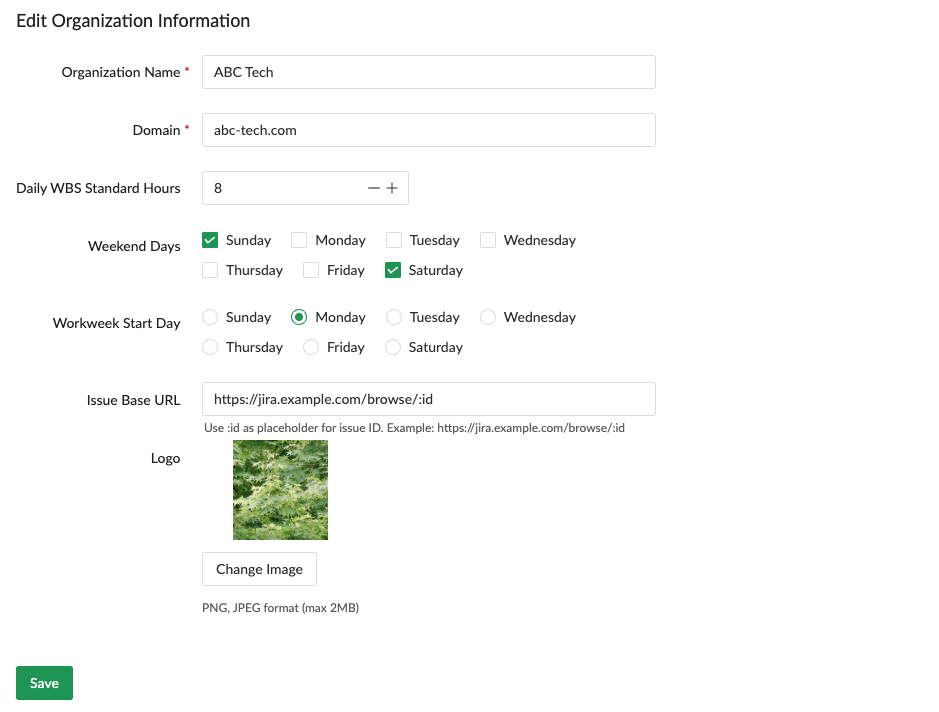
Organization Information
Configure organization name, domain, logo, and work environment settings.
- Daily Standard Working Hours: Set daily working hours for the organization (e.g., 8 hours)
- Weekend Settings: Choose weekends by country (Sat/Sun, Fri/Sat, etc.)
- Work Start Day: Select calendar start day (Monday through Sunday)
- Issue Management System: Integrate Issue Base URL (e.g., Jira)
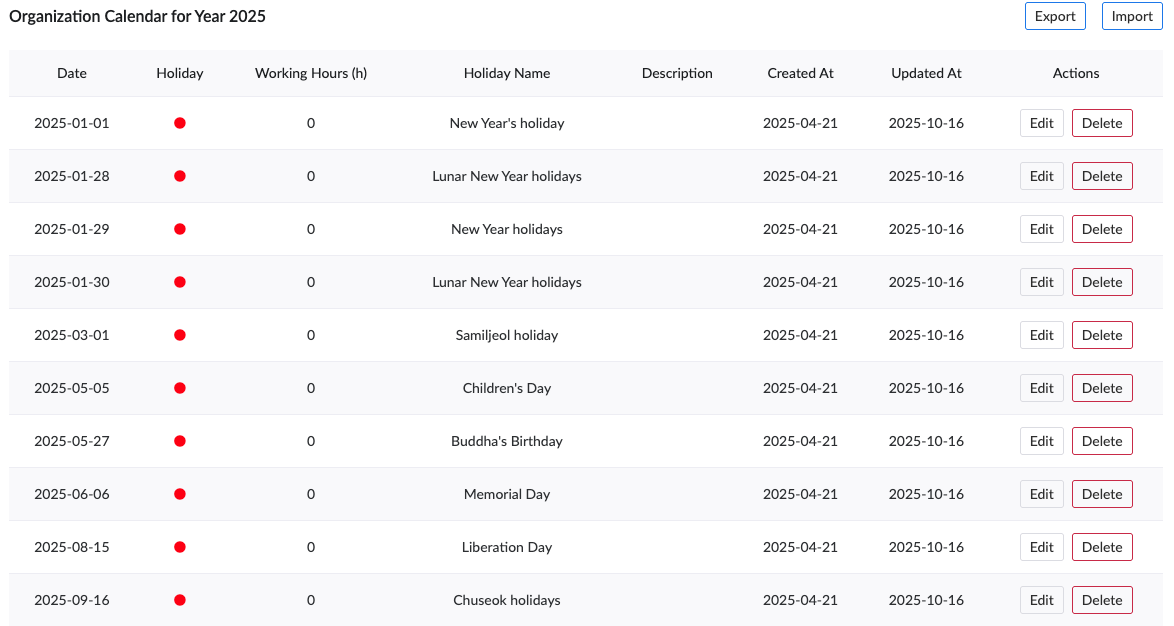
Organization Calendar (Holiday Management)
Set national and company-specific holidays to automatically apply to all projects.
- National Holidays: Freely input holidays like Korean Lunar New Year or US Thanksgiving
- Company-specific Holidays: Set custom holidays like anniversary or summer break
- Working Hours Adjustment: Choose holiday (0 hours) or half-day (4 hours)
- Bulk Apply: Configured holidays automatically apply to all projects
Seamless Excel Integration
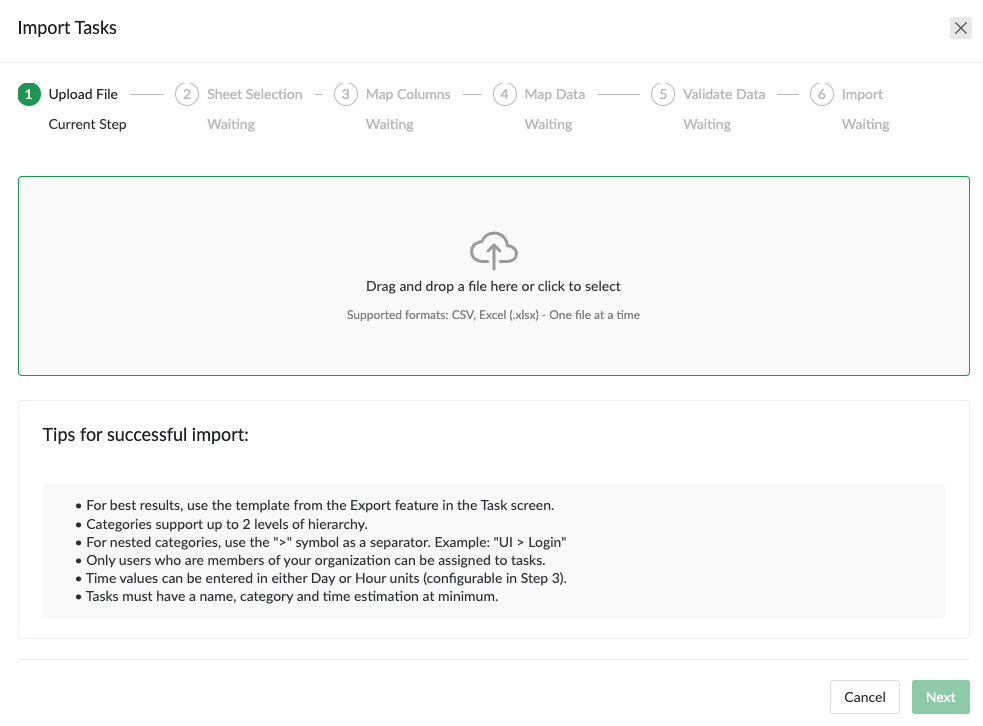
Import from Excel
Easily import existing Excel WBS in CSV format.
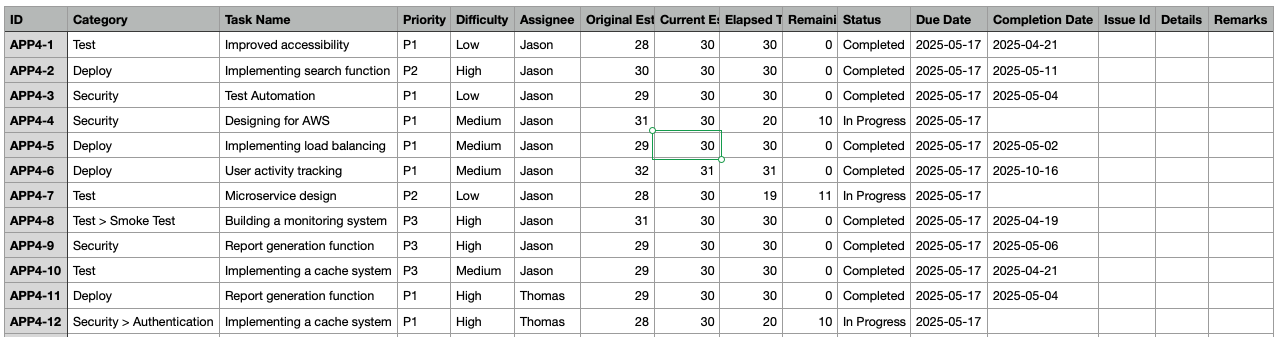
Export to CSV
Export is available on Professional and Enterprise plans.
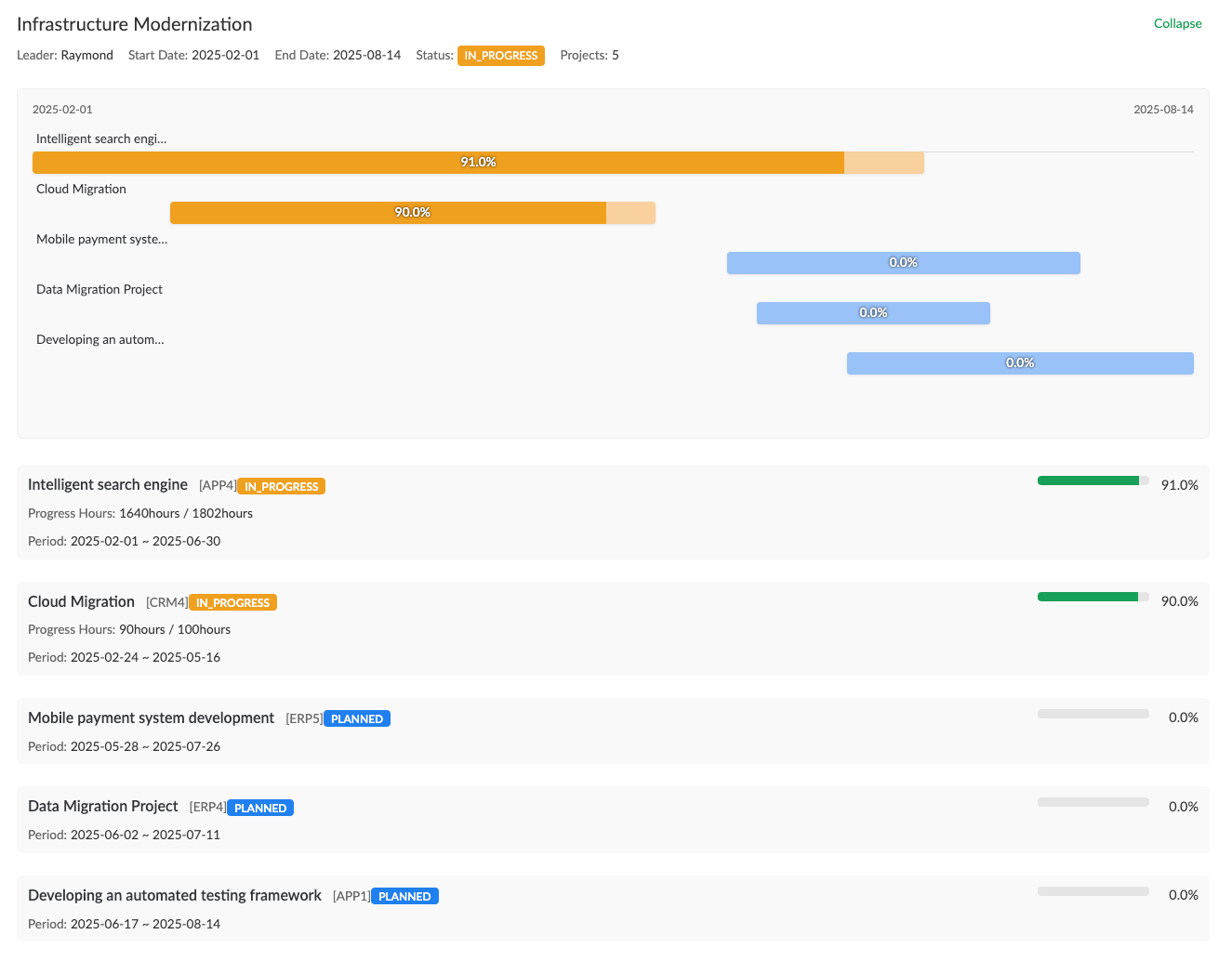
Portfolio Management
Manage multiple projects as portfolios and view overall progress at a glance.
Start Using WBS Today
Manage complex projects systematically and collaborate efficiently with your team