
AI Task Breakdown
Overview
Automatically generate structured WBS tasks from feature descriptions using AI
Describe a feature in plain text and AI automatically generates a structured WBS with categories, tasks, time estimates, and priorities.
AI Settings Setup
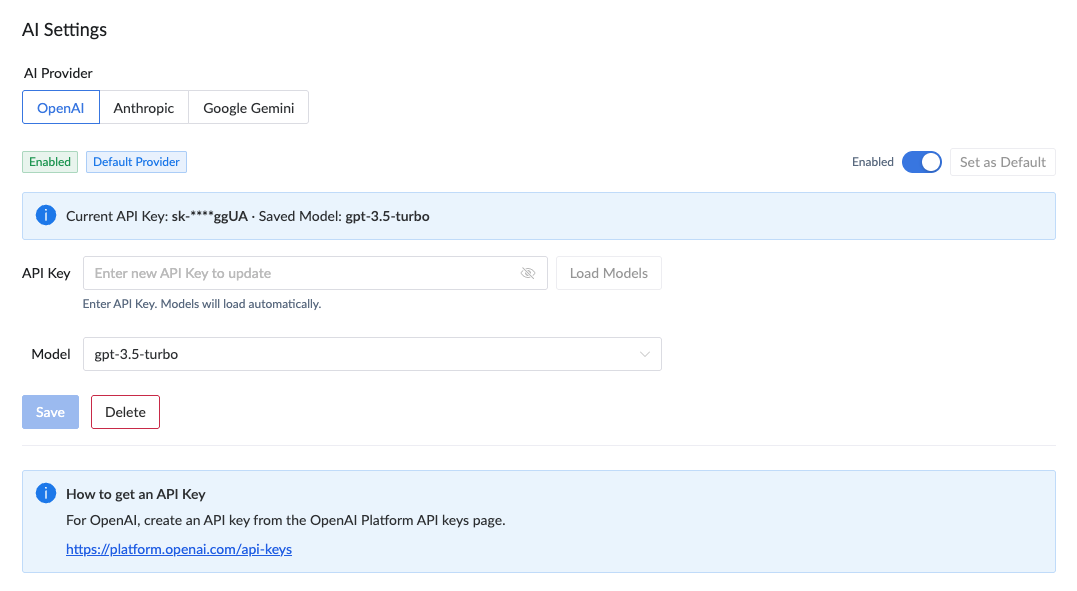
Before using AI Task Breakdown, configure at least one AI provider in Organization Settings.
- Go to Organization Settings → AI Settings and select a provider (OpenAI, Anthropic, or Google Gemini).
- Enter your API key and load available models.
- Enable the provider and set one default provider for your organization.
- Select and save the default model for each provider as needed.
How AI Task Breakdown Works
Transform feature descriptions into actionable WBS tasks in 3 simple steps
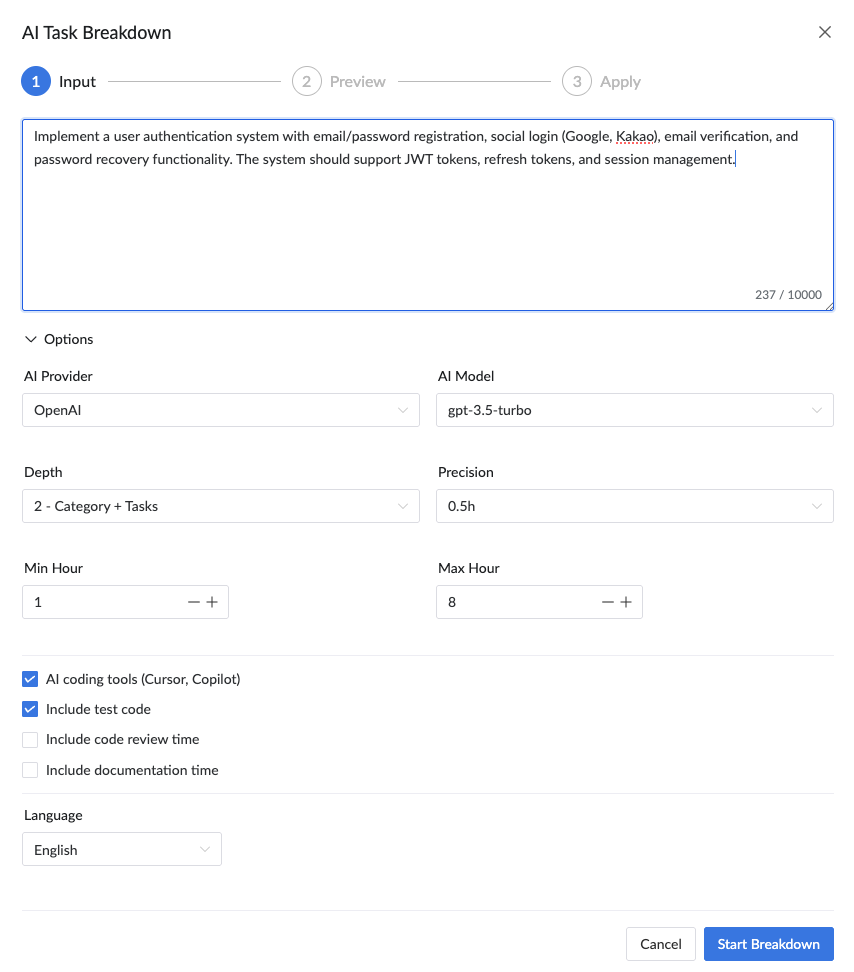
Step 1: Describe Your Feature
Write a brief description of the feature you want to build. AI analyzes your input and understands the scope.
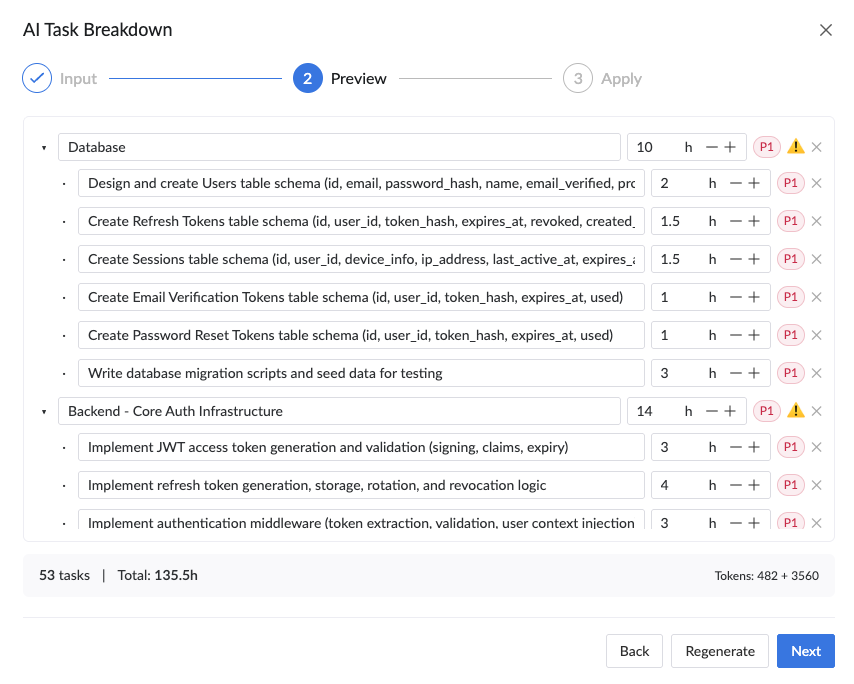
Step 2: AI Generates Tasks
AI automatically breaks down your feature into structured tasks with categories, time estimates, priorities, and difficulty levels.
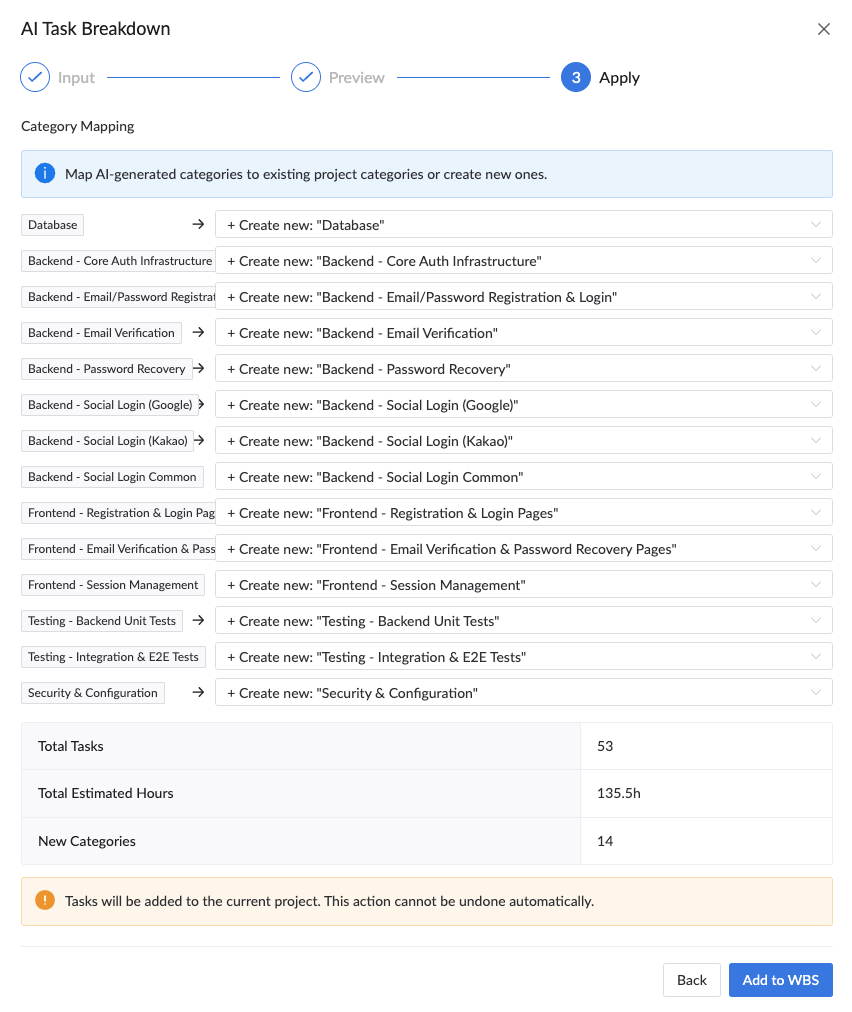
Step 3: Review & Apply
Review the generated tasks, map categories to your project, and add them to your WBS with one click.
Available Options
| Option | Description |
|---|---|
| Depth |
|
| Precision | Set the rounding unit for time estimates (0.5h or 1h) |
| Min/Max Hour | Define the minimum and maximum hours per task |
| AI Coding Tools | Enable if your team uses AI coding assistants (reduces estimates accordingly) |
| Include Test Code | Add time estimates for writing test code |
| Language | Choose the output language for generated task names |
Supported AI Providers
Plexo supports the following AI providers for task breakdown:
- OpenAI — GPT-4o, GPT-4o mini
- Anthropic — Claude Sonnet 4, Claude Haiku
- Google Gemini — Gemini 1.5/2.5 series
Use Cases
- Sprint planning — quickly break down user stories into development tasks
- Project kickoff — generate a comprehensive task list from project requirements
- Feature estimation — get time estimates for new feature requests
- Backlog grooming — decompose large epics into manageable tasks
Tips for Best Results
- Be specific about the technologies and frameworks involved
- Include acceptance criteria or key requirements
- Mention integration points with existing systems
- Specify any constraints (e.g., must support mobile, needs i18n)
- Review and adjust AI-generated estimates based on your team's velocity
See AI Task Breakdown in Action
Describe your feature and let AI break it down into actionable tasks with estimated hours, priorities, and categories — in seconds.
Try it now →