
Kanban Board
Overview
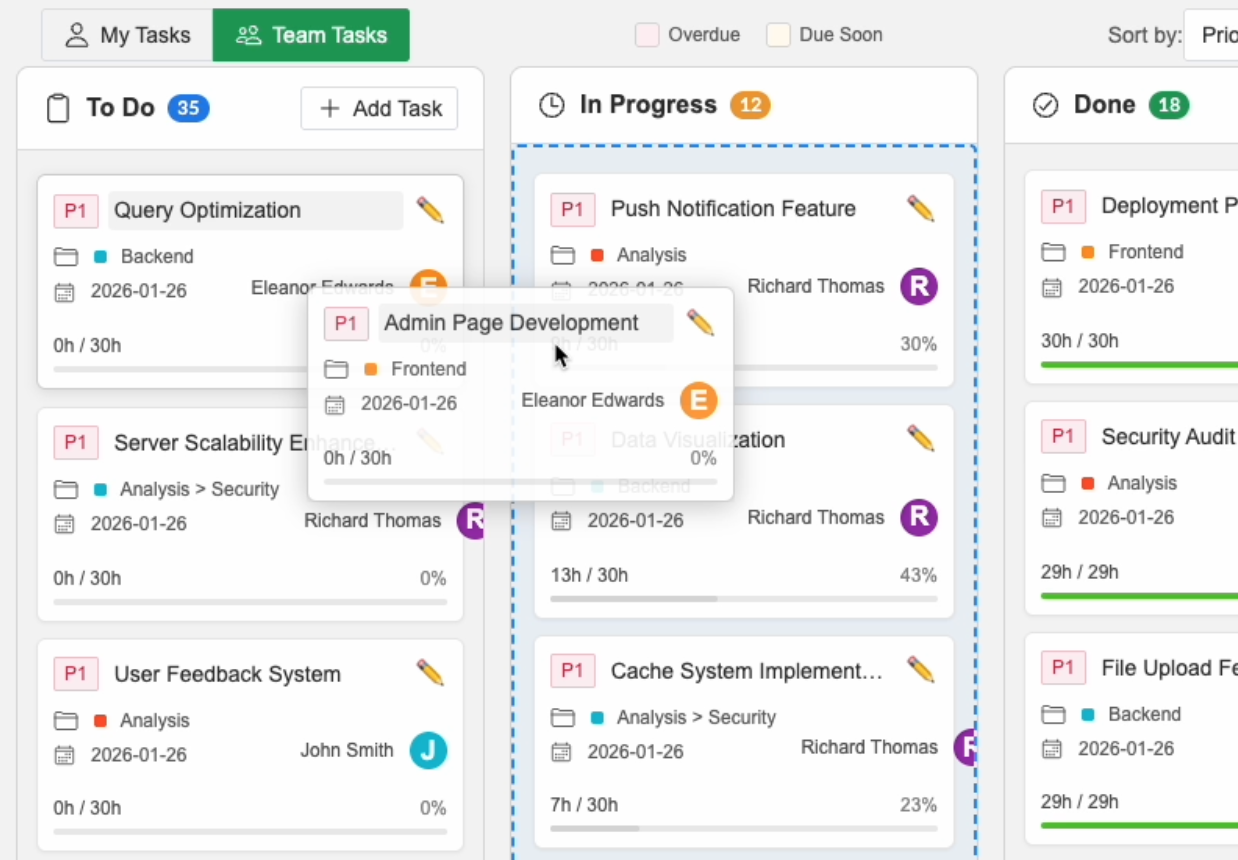
The Kanban Board is your primary workspace for managing tasks visually. It provides an intuitive drag-and-drop interface for moving tasks through their lifecycle.
Board Columns
Tasks are organized into columns by status:
- 📋 To Do: Tasks that haven't started yet
- 🔄 In Progress: Tasks currently being worked on
- ✅ Done: Completed tasks
- ⏸️ On Hold: Paused or blocked tasks
Using the Board
Moving Tasks
Simply drag a task from one column to another:
- Click and hold on a task card
- Drag to the desired column
- Release to drop
The task status updates automatically and syncs to all team members instantly.
Task Cards
Each card displays key information:
- Task name
- Estimated hours
- Actual hours / Progress percentage
- Assignee avatar
- Priority indicator (🔴 P1, 🟡 P2, 🟢 P3)
- Category tag
Editing Tasks
Click on any task card to open the detail modal where you can:
- Update progress percentage
- Change assignee
- Modify estimated/actual hours
- Add comments and notes
- Set dependencies
- Adjust dates
Filtering and Sorting
Use toolbar controls to focus on specific tasks:
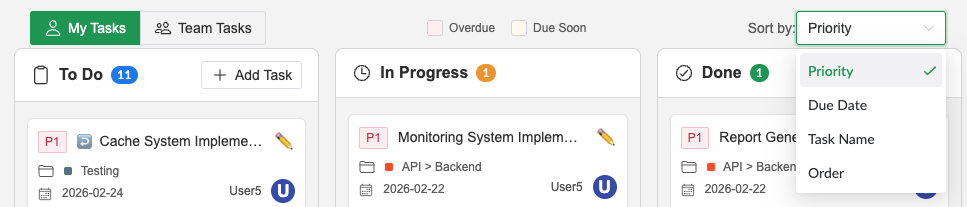
- My Tasks: Show only tasks assigned to you
- Team Tasks: Show all tasks for the entire team
Sorting
You can sort tasks by the following criteria:
- Priority: Sort by priority order
- Due Date: Sort by due date order
- Task Name: Sort alphabetically by task name
- Order: Sort by original order
Search
Search functionality is not currently available. Coming soon.
Tips for Effective Use
- Keep "In Progress" column limited (2-3 tasks per person max)
- Move tasks to "Done" immediately upon completion for accurate metrics
- Use "On Hold" for blocked tasks and add notes explaining why
- Review your board daily to stay synchronized with your team
Sprint Integration
Tasks assigned to Sprints are automatically organized in the Kanban Board. You can filter tasks by Sprint to focus on specific Sprint work.
To learn more about creating and managing Sprints, see the Sprint documentation.