
Gantt Chart
What is a Gantt Chart?
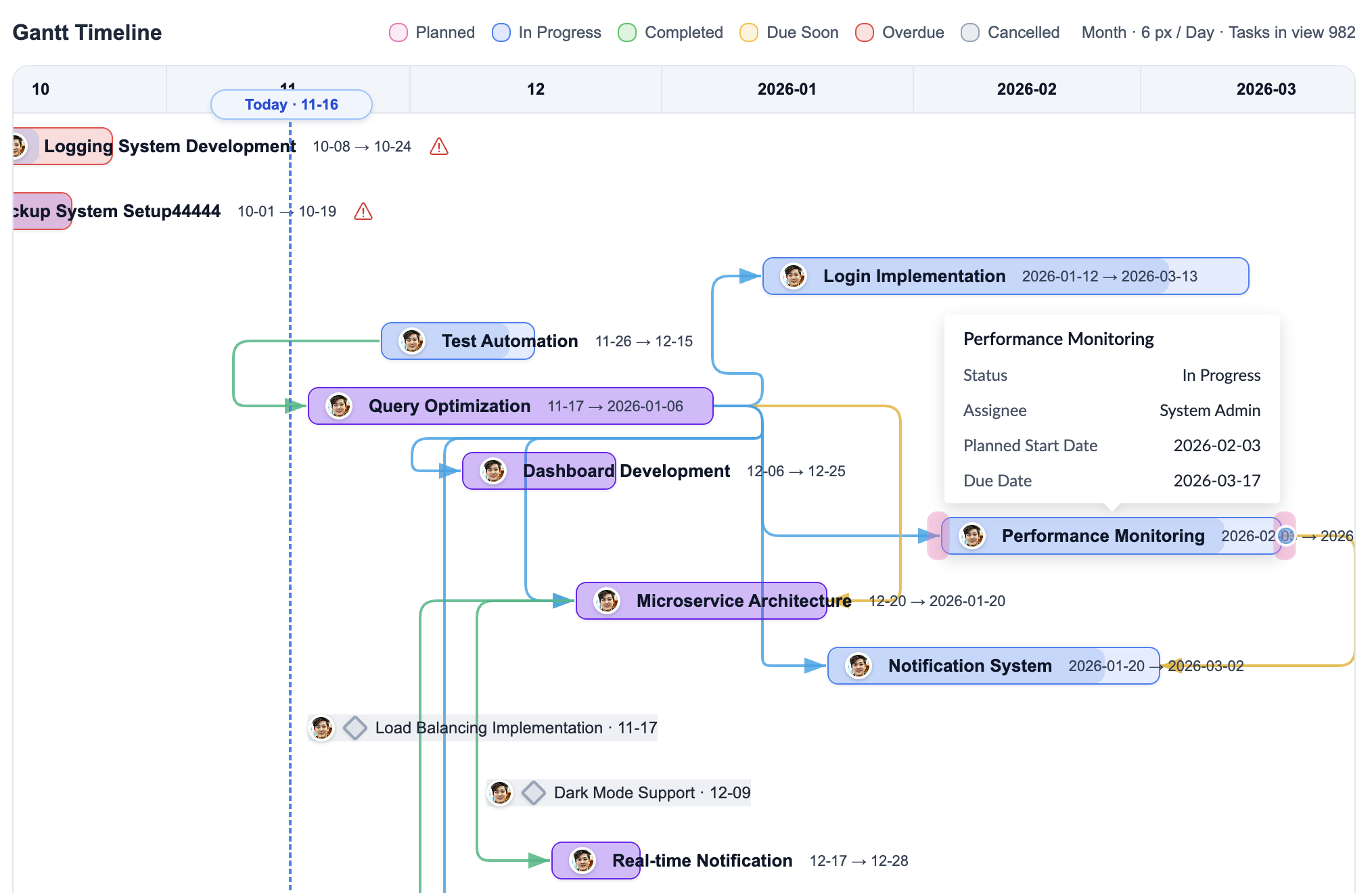
A Gantt chart is a visual timeline that shows:
- When each task starts and ends
- Which tasks overlap
- Task dependencies (which tasks must finish before others can start)
- Overall project timeline
- Progress of each task
Key Features
Task Dependencies
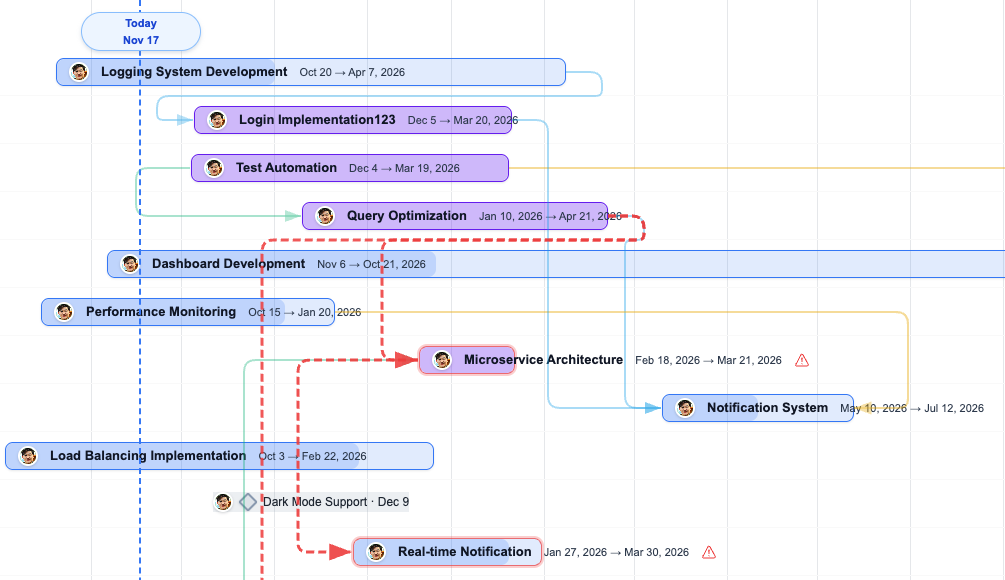
Link tasks that must be completed in sequence, and clearly see where constraints are violated:
- Click on a task in the Gantt view
- Select "Add Dependency"
- Choose the task that must complete first
- When dependent tasks start or finish earlier than allowed, Plexo highlights the path with red dashed lines and warning icons so you can spot violations quickly. You can adjust individual task schedules through the "Resolve violation" menu.
Adjusting Timelines
Drag task bars directly on the chart to adjust schedules:
- Drag the entire bar to move the task (start and due dates together)
- Drag the left or right edge to extend or shorten duration
- Zoom in/out to see different time scales (days, weeks, months)
Critical Path
The critical path is the sequence of tasks that directly affects the project completion date. Any delay in these tasks will delay the entire project.
To show the critical path:
- Click the "Show Critical Path" button in the Gantt chart toolbar
- Tasks on the critical path will be highlighted in red
- Critical path dependency arrows will also be shown as thick red lines
Critical path tasks are marked with red borders and "CP" badges, making it clear which tasks are most critical to the project schedule.
class="screenshot-placeholder" style="display: inline-block; padding: 0; line-height: 0; border: 0; background: transparent;" >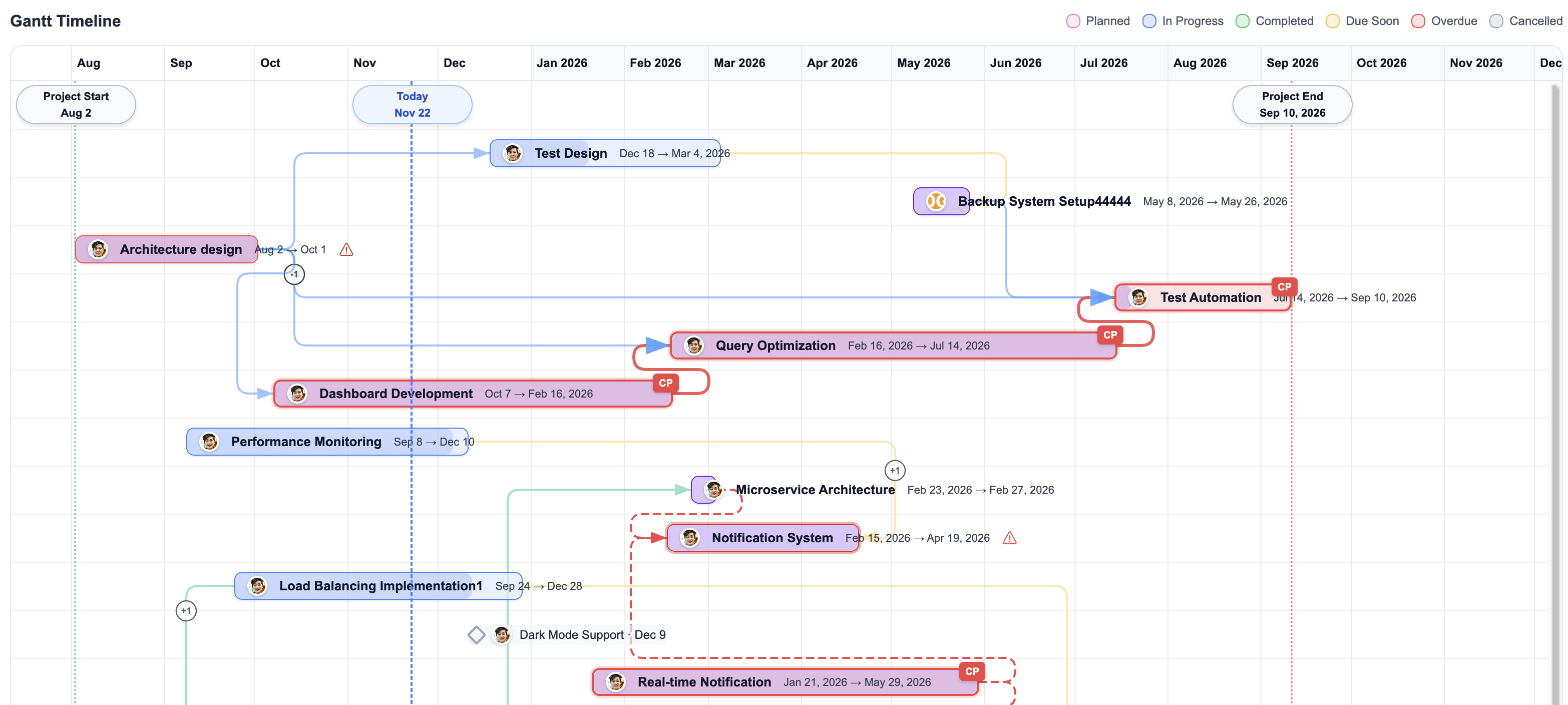
Using the critical path helps you:
- Identify tasks that directly impact project completion
- Spot potential delays early and take action
- Prioritize resources for critical path tasks
Tips
- Set realistic buffer time between dependent tasks
- Monitor critical path tasks closely
- Use milestones to mark important checkpoints
- Zoom in/out to see different time scales (days, weeks, months)