
Automated Reports & Notifications
Overview
Plexo provides an automated report system that summarizes project progress and sends it through various channels like email, Slack, and more.
- Receive automated daily summaries of yesterday's work and today's tasks every morning
- Get role-specific reports tailored to your needs
- Choose your preferred channels: Email, Slack, Microsoft Teams
- Get instant alerts for critical events like approaching deadlines and delayed progress
Report Types
Daily Reports
Automatically sent at 3:00 AM (organization timezone). Organization administrators can change the send time.
- Yesterday's Summary: Hours worked, input accuracy, completed/in-progress tasks
- Today's Plan: Planned tasks, approaching deadlines, high-priority items
- Alerts: Missing input warnings, overdue tasks, long-idle tasks
- Team Status: Leaders/Managers see team member work status and project progress
Weekly Reports
Sent every Monday at 3:00 AM (organization timezone) summarizing last week's achievements and this week's plans. Organization administrators can change the send time.
- Last week's completed tasks, total hours, key achievements
- This week's major milestones and upcoming deadlines
- Weekly progress rate, hours invested, and input accuracy trends
Monthly Reports
Sent on the 1st of each month at 3:00 AM (organization timezone) with comprehensive performance analysis. Organization administrators can change the send time.
- Monthly completed projects, total MM invested, organizational productivity metrics
- Project-by-project progress vs. plan, actual vs. budgeted investment analysis
- Common delay causes and resource optimization suggestions
Real-time Alerts
Receive instant notifications when critical events occur.
- Urgent: Project deadline today, task blocked, project status changes
- Warning: Overdue tasks, 3+ days missing input, sharp progress drop
- Info: New task assigned, mentions/comments, project setting changes
Role-Based Reports
Project Members
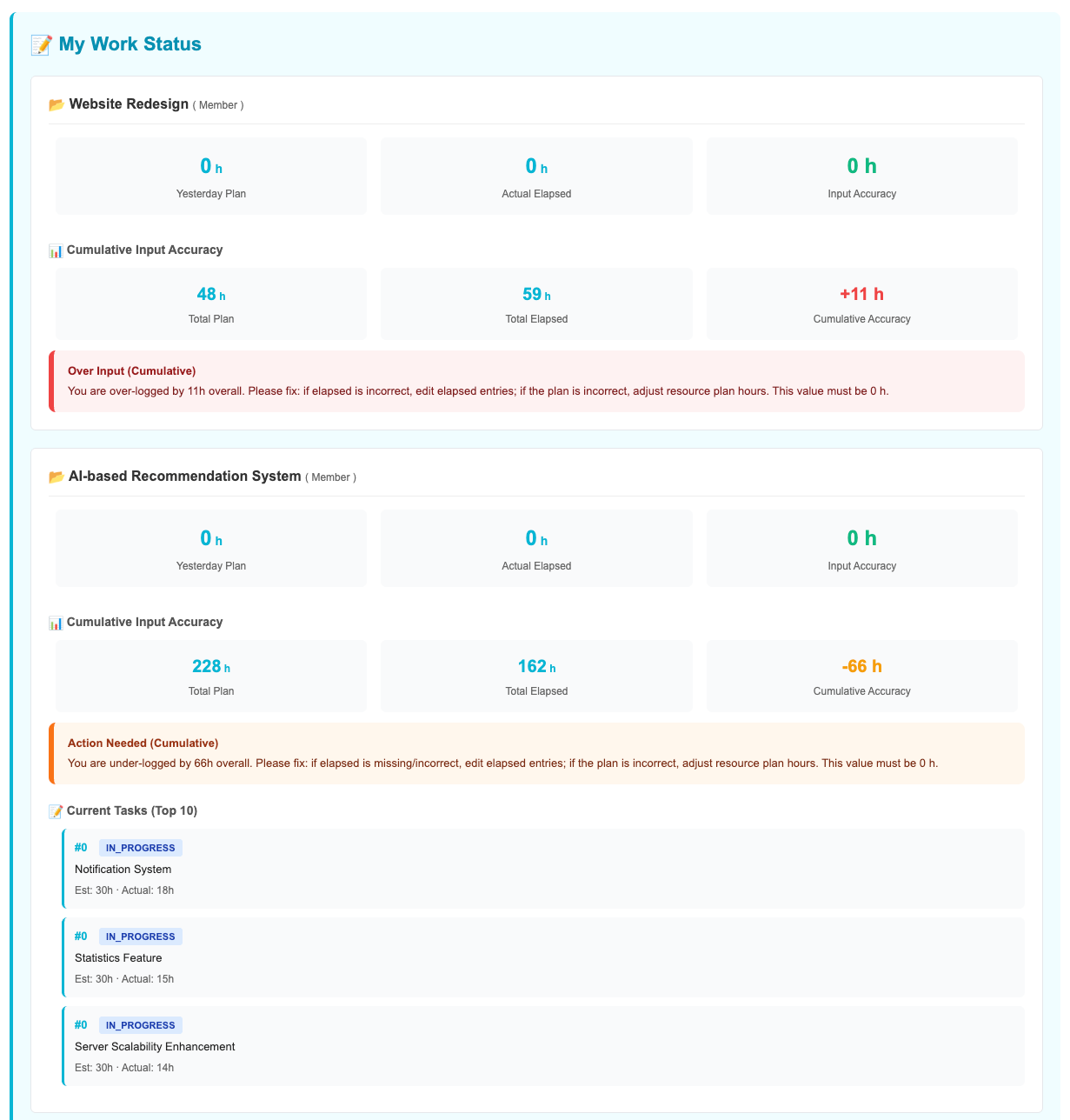
Reports designed to help you focus on your personal tasks.
- Yesterday's hours and completed tasks
- Today's planned tasks and approaching deadlines
- Missing input warnings and overdue task alerts
- Input accuracy feedback (actual vs. planned investment)
Project Leaders
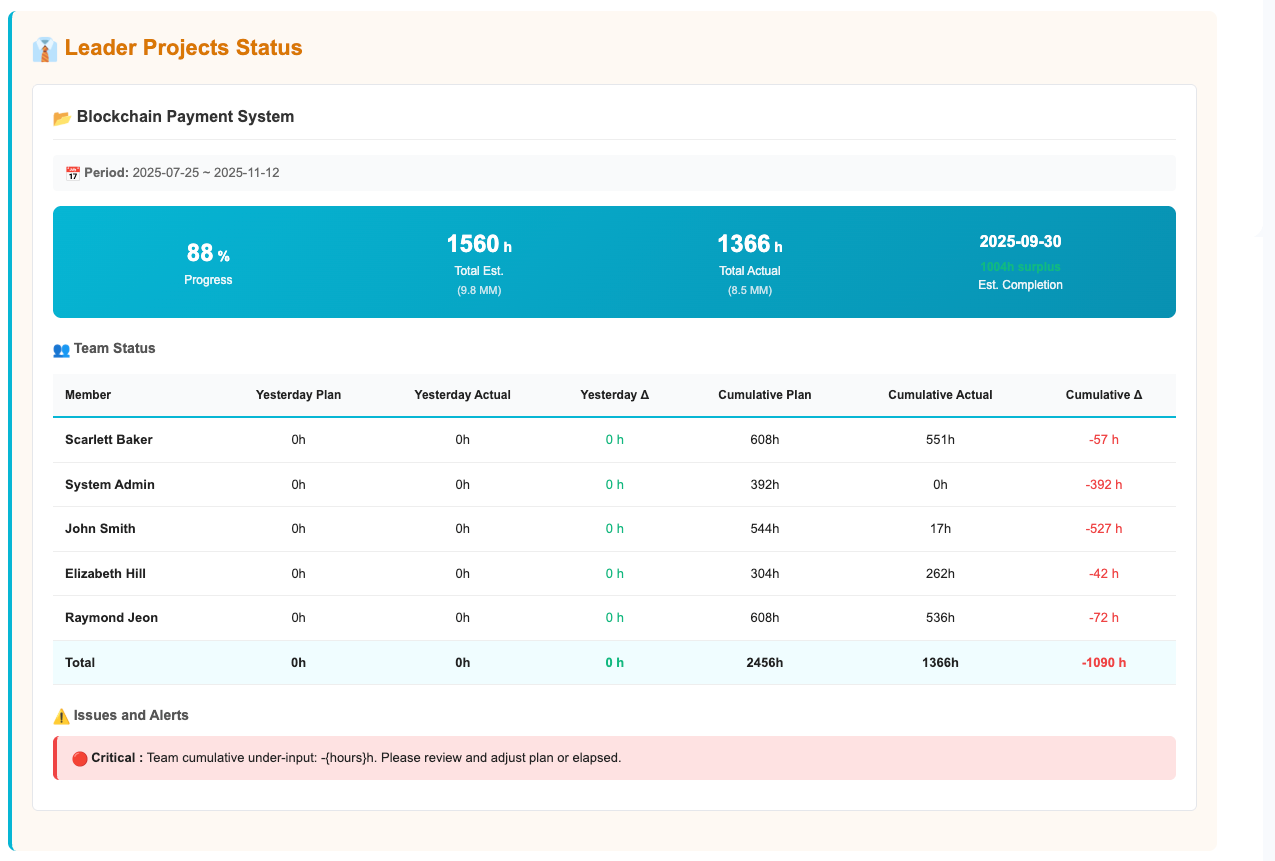
Reports to help you understand the overall project status and manage your team.
- Project progress, total MM invested, estimated end date
- Team member work status, hours invested, input accuracy
- Overdue tasks, delayed tasks, blocked tasks
- Today's priority management items and under-resourced members
Managers
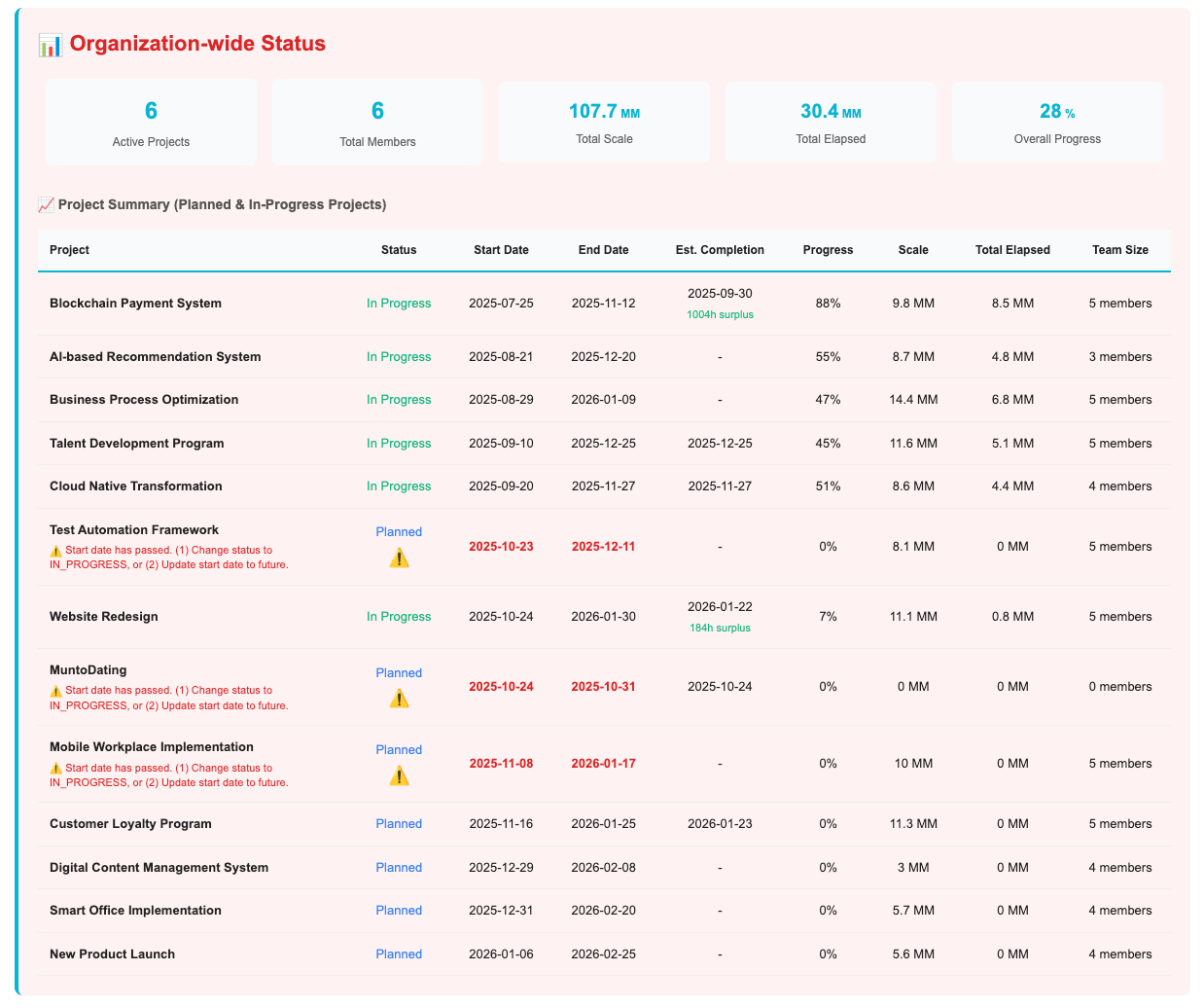
Summary reports to view all organizational projects at a glance.
- Overall project progress, invested MM, at-risk projects
- Organizational resource status, project allocation, overloaded members
- Delay-risk projects, items requiring leader action, approaching deadlines
Notification Settings
Freely configure which reports and channels you want to receive.
Delivery Channels
- Email: Enabled by default, can specify alternate email address
- Slack: Available after Slack workspace integration
- Microsoft Teams: Available after Teams integration
Preferences
- Enable/disable by report type (daily/weekly/monthly/instant alerts)
- Select specific projects only (multi-select available)
- Receive specific alert types only (e.g., urgent alerts only)
Send times are unified by organization timezone and cannot be changed per user. Contact your organization administrator if changes are needed.
Usage Tips
- Check daily reports after arriving at work to plan your day
- Team leaders can use weekly reports as weekly meeting materials
- Enable only critical instant alerts to reduce notification fatigue
- Use input accuracy feedback to develop more accurate time estimation habits