
Statistics & Analytics
Overview
Plexo provides powerful analytics to help you understand project health, team performance, and predict completion.
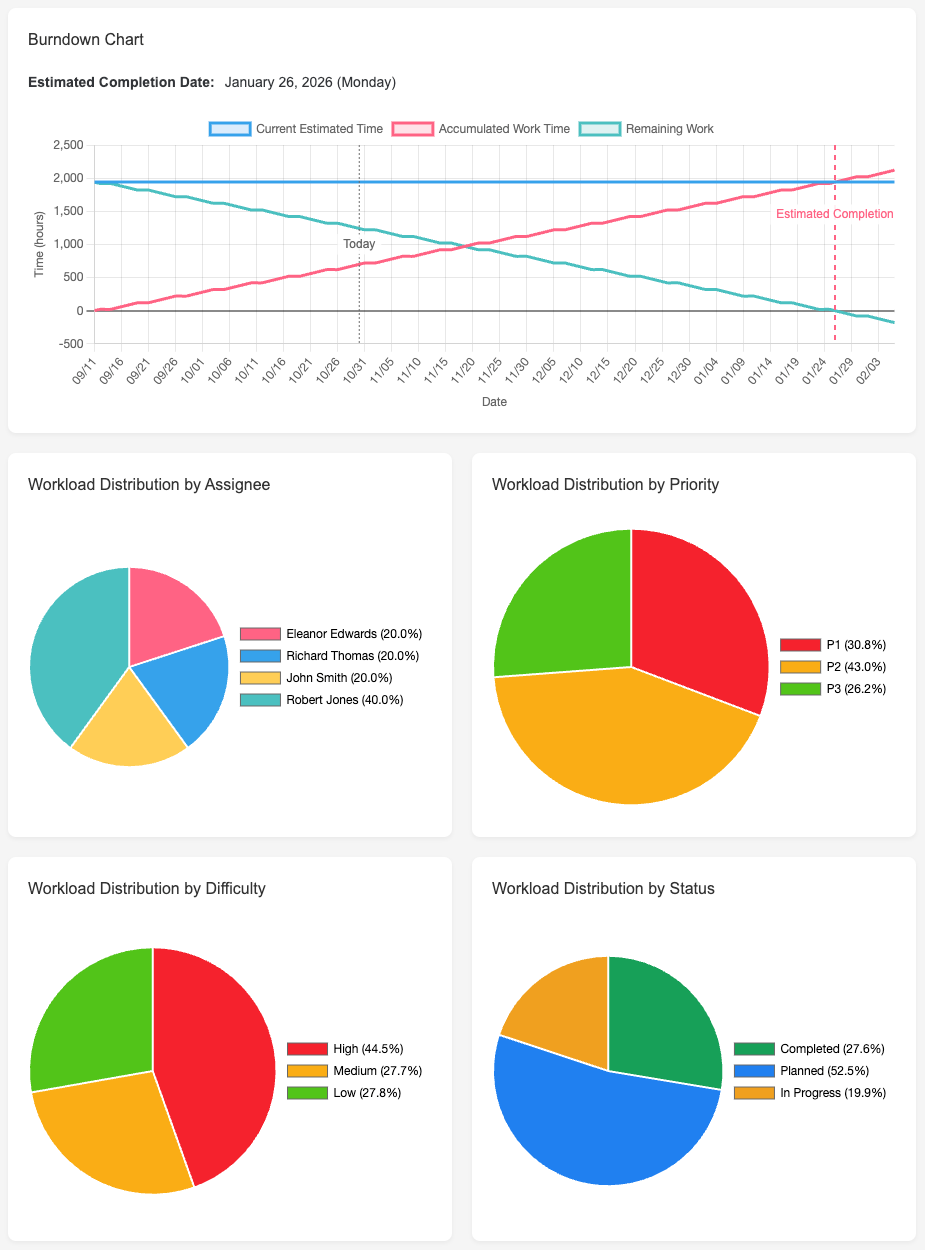
Key Metrics
By Status
- Tasks: To Do, In Progress, Done, On Hold
- Hours: Estimated, Actual, Remaining
- Progress percentage
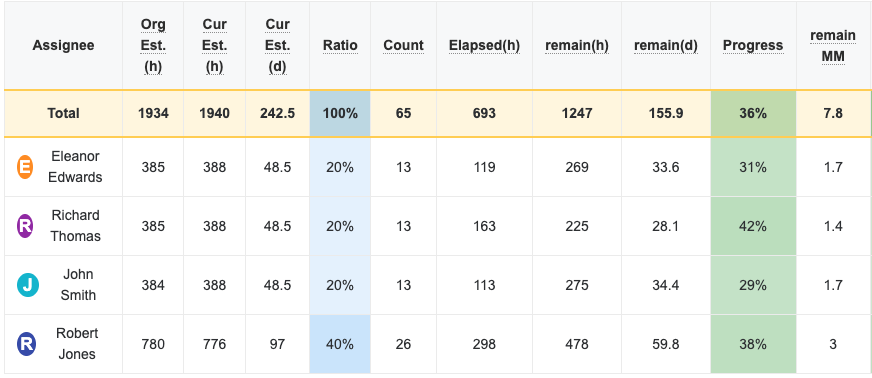
By Assignee
- Total hours per team member
- Individual progress rates
- Resource utilization percentage
- Spare capacity
By Priority
- P1 (High priority) task distribution
- P2 (Medium priority) tasks
- P3 (Low priority) tasks
By Category
- Hours and tasks per category
- Category completion percentage
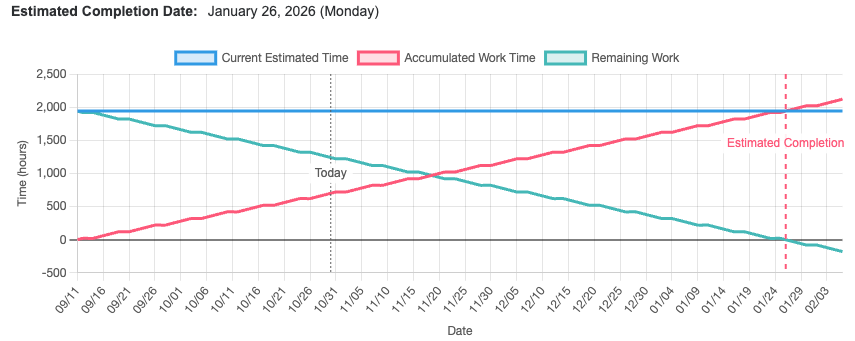
Burndown Chart
The burndown chart shows remaining work over time, helping you predict project completion.
How to Read It
- Ideal line (diagonal): Perfect pace to finish on time
- Actual line: Your team's actual progress
- Above ideal: Behind schedule, need to speed up
- Below ideal: Ahead of schedule
Using Burndown for Predictions
Based on current velocity, Plexo predicts:
- Expected completion date
- Whether you'll meet the deadline
- How many days ahead or behind schedule
Interpreting the Data
Healthy Project Indicators
- Burndown following ideal line closely
- Team utilization between 70-90%
- High-priority tasks progressing steadily
- No team member over 100% capacity
Warning Signs
- Burndown line flattening (velocity decreasing)
- Multiple team members over 100% capacity
- Many tasks stuck in "In Progress"
- Actual hours significantly exceeding estimates
Tips
- Review statistics daily for early problem detection
- Use burndown chart in weekly team meetings
- Watch for trends, not just current numbers
- Adjust plans based on actual velocity, not wishful thinking